Business Central POS: Embedded, Integrated or Batch Posting
What standard Business Central provides for point of sale, how the three POS options move data, and the questions to ask before you choose one.
On this page
Standard Business Central has no built-in retail register. Microsoft documents sales invoices, cash customers and a Device license for shared point of sale devices, and sells Dynamics 365 Commerce as a separate retail product. A Business Central POS therefore comes from one of three options: an embedded POS app that runs inside Business Central, an external POS integrated with it, or a separate system that posts sales in batches.
This guide is for retailers, and for distributors with a will-call or trade counter, who run Business Central and need to take payments in person. It explains what Business Central provides on its own, how the three options move data, a comparison of inventory, ledger, offline, hardware and cash management, the questions to put to any POS option, and where Bitta Retail POS fits.
Want to see a register inside Business Central? Request a 30-day Bitta Retail POS trial or book a demo.
Does Business Central have a POS?
Not as a register. Business Central has the accounting building blocks a point of sale needs, and Microsoft's documentation describes each of them:
Paid-on-the-spot invoices. In Invoice sales, Microsoft explains that a sales invoice with a Payment Method Code of Cash records the payment in a balancing account when the invoice posts, and posting creates the related item and customer ledger entries.
Cash customers. Microsoft notes that you cannot create an invoice without a customer number, even for a cash sale, and explains how to set up a cash customer card for directly paid invoices to unregistered customers.
Shared devices. Licensing in Business Central describes a Device license that lets multiple users work on one covered device, and names a point of sale device as an example.
None of these pages describes a touch register, a cash drawer session or X and Z reports. Microsoft's dedicated retail product is Dynamics 365 Commerce, and Microsoft describes its Store Commerce app as the point of sale experience for Commerce. It is a different Dynamics 365 product with its own headquarters, not a Business Central feature. For a business that keeps Business Central as its ERP, point of sale for Business Central comes from one of the three options below.
Three ways to add point of sale for Business Central
Embedded POS app
The register is an extension installed in Business Central, usually from Microsoft Marketplace (formerly AppSource). It reads the items, prices, customers, tax setup and locations already in Business Central, and it writes sales back as standard documents. There is no second item master to keep in step and no sync job between two databases. The trade-off is dependence on Business Central itself: the register runs where Business Central runs, so connectivity and offline behavior need checking app by app.
External POS integrated with Business Central
A separate POS product keeps its own catalog, prices and transactions, and an integration exchanges data with Business Central. Microsoft's API (v2.0) documentation describes connect apps that establish a point-to-point connection between Business Central and a third-party service over REST. Microsoft's own e-commerce connector follows this pattern and imports store orders as sales documents. Microsoft's connector documentation carries a useful warning: by default, an order that the external system already fulfilled becomes a sales invoice in Business Central, and while its posting is delayed, a sales invoice doesn't affect inventory availability the way a sales order does. The same timing question applies to every integrated POS.
Ask how the people whose sales flow in through the integration are licensed. Microsoft's Dynamics 365 Licensing Guide says multiplexing does not reduce the number of licenses required: users or devices that input or view Business Central data indirectly, through another system, must still be properly licensed or otherwise granted access. For a shared register, Licensing in Business Central describes the Business Central Device license, which names a point of sale device as an example.
Separate system with batch posting
The POS runs independently, and a daily or periodic summary is imported into Business Central as journals or documents. This is often where a business starts when the till predates the ERP. It keeps the stores trading through any Business Central change, but stock and sales in Business Central are only as current as the last batch, and items, prices and tax rules are maintained in two places.
Business Central POS options compared
The table describes each option generically. Individual products vary, so treat each row as a question to confirm.
Factor | Embedded POS app | External POS, integrated | Separate system, batch posting |
|---|---|---|---|
Data flow | Register reads and writes Business Central data directly | POS and Business Central exchange records through APIs or a connector | POS exports a summary that is imported on a schedule |
Where inventory updates | In Business Central, when the sales documents post | In the POS first, then in Business Central when the integration posts | In the POS during the day, in Business Central after the batch |
Where the ledger updates | Business Central, through standard sales posting | Business Central, from the documents the integration creates | Business Central, from imported journals or documents |
Offline needs | Usually depends on a live connection to Business Central; confirm | Depends on whether the POS stores sales locally and replays them | POS trades without Business Central; the batch waits |
Hardware | Browser or network peripherals the app supports | Whatever the POS vendor certifies | Whatever the POS vendor certifies |
Cash management (shifts, X and Z reports) | Inside Business Central, if the app provides it | In the POS; totals reach Business Central only if the integration carries them | In the POS; Business Central sees the summary only |
Who supports it | App publisher and your Business Central partner | POS vendor, integration owner and Business Central partner | POS vendor and whoever owns the import |
The pattern is simple. The more systems hold a copy of the sale, the more reconciliation the finance team does, and the more parties own a failure.
Questions to ask any POS option
Use these in every demo, whichever option you are evaluating.
Where does each record live? Name the system of record for items, prices, customers, tax and stock.
When does a sale reach the ledger? At the register, at the end of the day, or when someone runs an import, and what happens to sales made after that cutoff.
When does inventory move? Ask whether a completed sale reduces stock immediately or only after posting.
What happens without internet? Ask whether the register keeps selling, how sales replay, and how duplicates are prevented.
How is the drawer closed? Look for an opening float, cash movements, a repeatable X report, a final Z report, and over and short by cashier.
How does each tender settle? Cash, card and on-account sales should reach their own accounts so bank deposits reconcile.
Who approves exceptions? Discounts, price overrides and drawer openings should record a named person.
What does it cost in total? Count POS subscriptions, Business Central licenses, hardware, payment processing and integration work separately.
For the broader checks that apply to any Marketplace app, such as data location, failure handling and update policy, see the checklist for evaluating Business Central Marketplace apps. For which Business Central license each user needs, see Business Central Essentials vs Premium vs Team Members.
Where Bitta Retail POS fits
Bitta Retail POS is an embedded option: a touch register that runs inside Business Central, published by Bitta Apps on Microsoft Marketplace. Its product page states the design directly: no middleware, no sync job and no separate retail database. The overview video introduces Bitta Retail POS as point of sale for Business Central.
What the product page and guide document:
Register. Item tiles, categories and favorites, barcode scanning through Business Central Item References, item variants, price check, park and resume, and customer lookup. Prices come from standard Business Central price lists and customer price groups, and Sales Tax, VAT or no tax follows the Business Central tax setup.
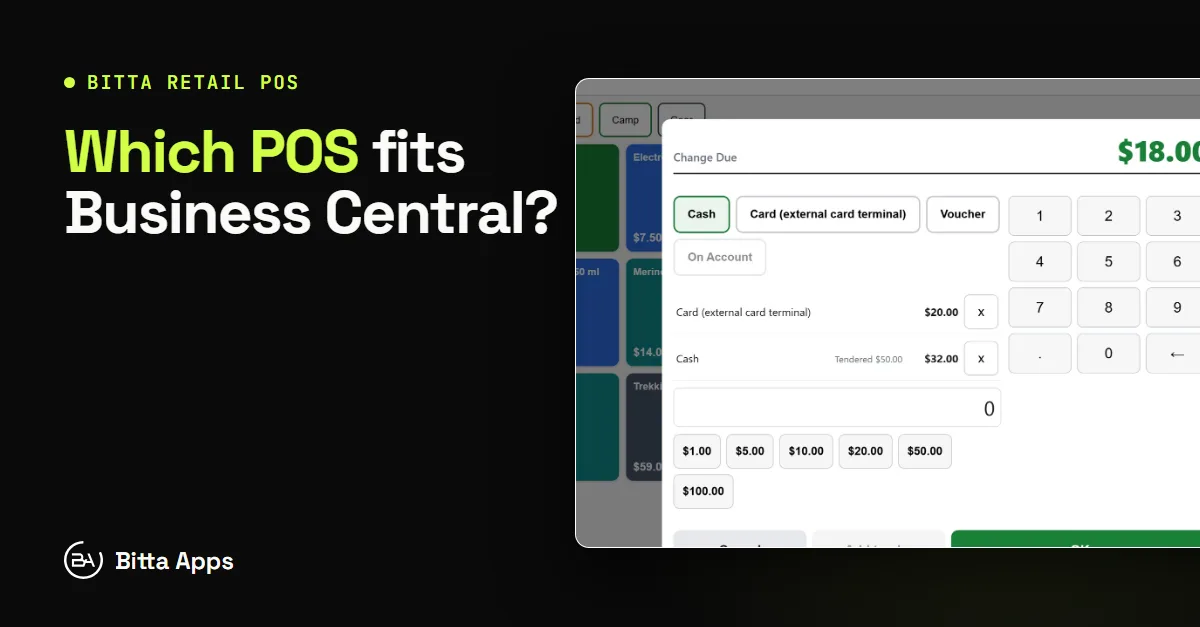
Tenders. Cash with denominations, card on a Stripe Terminal reader, QR Pay, a Card tender for standalone card machines, vouchers, on-account sales within the customer's credit limit, and split payments. For a distributor's counter, an on-account sale leaves the customer's share open in receivables, like any credit sale.
Controls. Discounts above a cashier's limit and price overrides need a supervisor PIN, and each approval records who gave it.
Shifts. A shift is one drawer session on one terminal. It opens with a float, records pay-ins, pay-outs, safe drops and No Sale openings, prints an X report while open and a Z report once closed, and stores the counted difference per tender. With Blind Close turned on, the expected amount stays hidden until the shift is closed.
End of Day. Completed sales become consolidated Business Central Sales Invoices and Credit Memos through standard Sales-Post. If you prefer review first, the Create Sales Orders (Not Posted) mode creates unposted Sales Orders for the sales, while return groups still post as Sales Credit Memos. By default, End of Day refuses to run while any drawer shift dated on or before the posting date is still open. Per-tender settlement, on by default, then posts one payment per tender to that tender's own account.
Part 4 of the Bitta Apps video series covers cash drawer shifts and X and Z reports in Business Central.
The requirements are documented as clearly. Bitta Retail POS runs on Business Central online, version 28.0 or later, on Essentials or Premium, in the browser with no POS software to install on the register computer. Gift cards, tips, multiple loyalty programs and Stripe card payments are built in. The published price is $29 per user per month on Microsoft Marketplace, or $100 per register per month directly from Bitta Apps, with a free 30-day trial that starts when you install.
Planning the rollout
Whichever option you choose, scope it like an integration project, because it is one. Map items and customers, set tax and posting groups, assign a settlement account to every tender, and test a full day in a sandbox: open shifts, sales, a return, a drawer count and the End of Day posting. Bitta Apps scopes connections like these through its Business Central integrations service, which first assesses a supported standard connector or existing partner app, then scopes middleware or AL extensions for the remaining gaps. If you also sell online, the guide to the Shopify Business Central connector covers how Shopify orders land in Business Central as sales documents. For how point of sale affects the overall budget and plan, see Business Central implementation cost and timeline.
The choice comes down to how many places a sale lives. Each extra system adds a reconciliation and a support handoff, so pick the option whose data flow your finance team can explain on day one. To see an embedded register on your own Business Central data, review Bitta Retail POS and its guide.
Next step. Request a 30-day trial of Bitta Retail POS, or book a demo and walk through one store day on your own items.
FAQ
Frequently asked questions
Does Business Central have a POS?
No. Standard Business Central has no built-in retail register, cash drawer shifts or X and Z reports. It does provide the accounting pieces a POS uses, such as sales invoices that record a cash payment when they post, cash customers and a Device license for shared point of sale devices. A register comes from an embedded POS app, an integrated external POS or a separate system with batch posting.
What is the best POS for Business Central?
The best option is the one whose data flow fits how you trade, not a product from a ranking. Compare where items, prices and stock live, when a sale reaches the ledger and inventory, how the register behaves without internet, and how shifts, X and Z reports and tender settlement work. Then count the full cost: POS subscriptions, Business Central licenses, hardware, payment processing and integration work.
Can a POS post sales directly into Business Central?
Yes, in two ways. An embedded POS app writes sales into Business Central as standard sales documents and posts them through standard sales posting. An external POS can create documents through the Business Central APIs or a connector. In both cases, confirm when the documents post, because an unposted sales invoice does not reduce inventory.
Does Bitta Retail POS need an internet connection?
Yes. Bitta Retail POS runs inside Business Central online, so the register works over a live connection to your environment and every register sees current stock, prices and customers, with no sync to wait for.
How much does Bitta Retail POS cost?
Bitta Retail POS costs $29 per Business Central user per month on Microsoft Marketplace, or $100 per register per month bought directly from Bitta Apps, with yearly options for both. Every Business Central environment gets one free 30-day trial, which starts when you install. It requires Business Central online, version 28.0 or later, on Essentials or Premium.
Sources
Claims in this article were checked against the following on Nov 13, 2026.
- learn.microsoft.com/en-us/dynamics365/business-central/sales-how-invoice-sales
- learn.microsoft.com/en-us/dynamics365/business-central/finance-how-to-set-up-cash-customers
- learn.microsoft.com/en-us/dynamics365/business-central/dev-itpro/deployment/licensing
- go.microsoft.com/fwlink/?LinkId=866544
- learn.microsoft.com/en-us/dynamics365/commerce/dev-itpro/store-commerce-capabilities
- www.microsoft.com/en-us/dynamics-365/products/commerce
- learn.microsoft.com/en-us/dynamics365/business-central/dev-itpro/api-reference/v2.0/
- learn.microsoft.com/en-us/dynamics365/business-central/shopify/synchronize-orders
- bittaapps.com/solutions/bittapos
- bittaapps.com/solutions/bittapos/licensing
- bittaapps.com/solutions/bittapos/shifts-and-cash
- bittaapps.com/solutions/bittapos/end-of-day
- bittaapps.com/solutions/bittapos/consolidated-posting
- bittaapps.com/solutions/bittapos/per-tender-settlement
- bittaapps.com/solutions/bittapos/prerequisites
- bittaapps.com/solutions/bittapos/stock-availability
- bittaapps.com/services/integrations
- www.youtube.com/watch?v=5qIrQ8U-DC4
- www.youtube.com/watch?v=1aELLz1b_io