Guide
Bitta Collections guide
Follow the chapters in order, from the first install to everyday use. Each page tells you what to open in Business Central and what to fill in.
Showing all steps
- 01How it worksHow Bitta Collections adds a worklist, dunning, promises, disputes, credit holds and cash application to Business Central on the live customer ledger.
- 02Choose a collections appChoosing a collections app for Business Central: the questions to ask any vendor, from the native ledger to AI and pricing, answered for Bitta Collections.
- 03Getting startedInstall Bitta Collections, activate the license, run Set up Bitta Collections, schedule the daily job and assign the Read, Collector and Administrator sets.
- No steps for this role in this part of the guide. Choose All to see every step.
- 01Collectors and customersSet up collectors, give each customer a collector, a risk rating and a dunning sequence, and choose which contacts get collections emails and how.
- 02Dunning sequencesSet up dunning sequences: steps by days overdue, automatic steps or collector tasks, contact rules, a preview before each run and native reminders.
- 03Email and templatesSend collections email through the Business Central Email module: the Collections scenario, 11 templates, placeholders, invoice copies and a test mode.
- No steps for this role in this part of the guide. Choose All to see every step.
- 01Work the worklistStart each day on the Collections Worklist: customers ranked by an explained score, a next action for each, and calls and emails logged in one place.
- 02Promises to payRecord a promise to pay per invoice, pause dunning while it is open, and let Bitta Collections mark it kept, partly kept or broken from applied payments.
- 03DisputesOpen a dispute on one invoice with a reason, owner and due date, pause dunning for that invoice only, and resolve it by hand or when the invoice closes.
- 04Payment plansSplit a customer's open invoices into dated installments with an optional down payment and fee, send the agreement, and let the job check every installment.
- 05Collection agenciesHand overdue business accounts to a collection agency: check which entries qualify, send the packet, stop dunning on them and book the recoveries.
- No steps for this role in this part of the guide. Choose All to see every step.
- 01Unapplied paymentsFind open customer payments, review the best match with its confidence and reason, then accept it and post the application on Apply Customer Entries.
- 02Match bank paymentsSuggest customer matches for bank lines in the Payment Reconciliation Journal after Apply Automatically, accept them, remember payers and post as usual.
- 03RemittancesRead remittance advice from a shared mailbox or an uploaded file, find the customer and the payment, and review the match suggestions before you apply them.
- No steps for this role in this part of the guide. Choose All to see every step.
- 01Credit holdsSet credit hold rules per risk rating, let the daily job place and lift holds, block release and shipping of sales documents, and release holds with a reason.
- No steps for this role in this part of the guide. Choose All to see every step.
- 01Statements and lettersEmail customer statements through Report Selections, add them to dunning steps, and print collection letters, promise confirmations and dispute letters.
- 02Pay online linksAdd Pay now links to collections emails, statements and letters, through your own Stripe account (card and US ACH) or the payment services in Business Central.
- 03Letters by postMail collection letters and statements on paper through your own Lob account, with test mode, an approval queue, cost estimates, tracking and returned mail.
- No steps for this role in this part of the guide. Choose All to see every step.
- 01AI features (preview)The AI features in Bitta Collections: email drafts, account summaries, ranked matches and reply triage. How to turn them on, what data is sent and who pays.
- 02Reply triage (preview)AI reply triage in Bitta Collections (preview): Copilot reads customer replies and proposes a promise, dispute or follow-up. A person confirms every proposal.
- 03AI assistants (preview)Use Bitta Collections from Microsoft Copilot and other AI assistants through the Business Central MCP server (preview): what they read, do and need to work.
- No steps for this role in this part of the guide. Choose All to see every step.
- 01Reports and KPIsFollow overdue, DSO, cash collected and promise kept rate on the Collections and Credit role center, and find the reports for collectors, managers and auditors.
- 02Cash forecastHow Bitta Collections predicts when each invoice will be paid from the customer's payment history, and the Cash Forecast and Collection Results reports.
- 03Several companiesSee receivables, overdue, holds and open collections work of every company you may open in one list, and one customer's balance across all your companies.
- 04TroubleshootingFind out why a reminder or email was not sent, check the daily job and failed steps, run the setup check, and fix blocked calls, license and AI capacity errors.
- No steps for this role in this part of the guide. Choose All to see every step.
Videos
Video tutorials
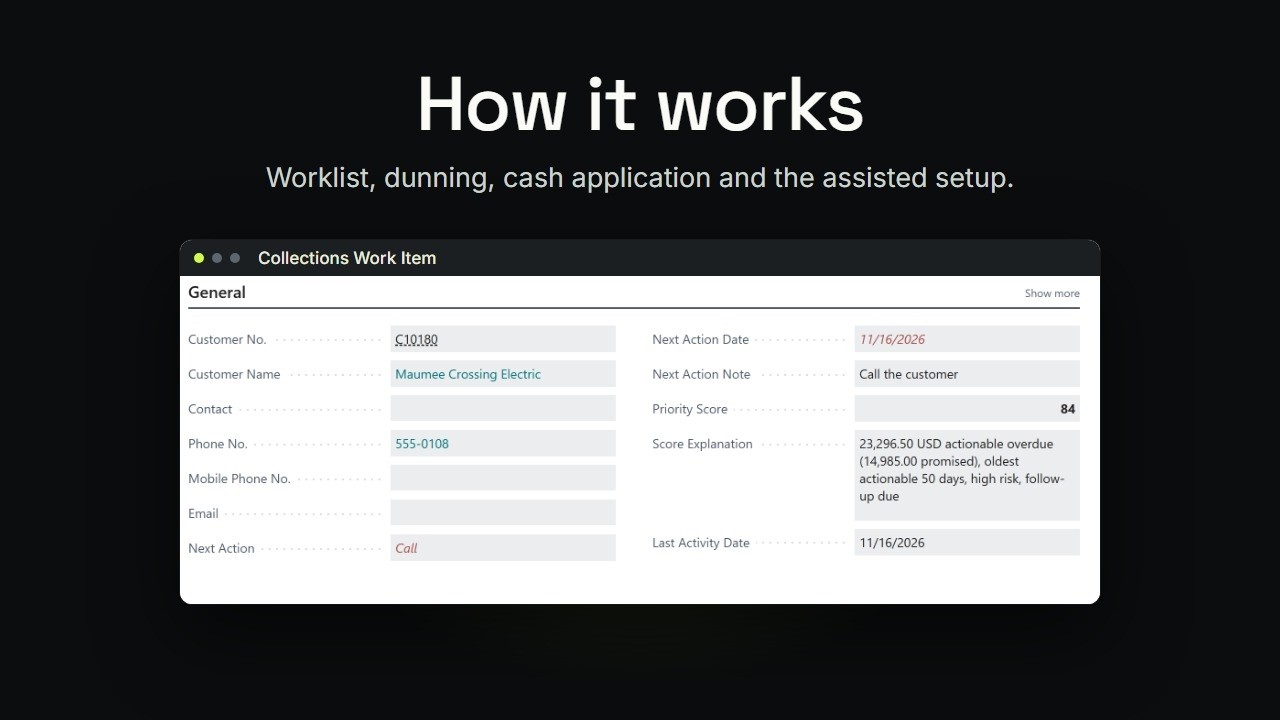 1:27TutorialBusiness Central Collections: How It Works
 1:38TutorialBusiness Central Collections Worklist, Promises, Disputes and Plans
 2:55Part 6Business Central Collections Worklist: Who to Call Today
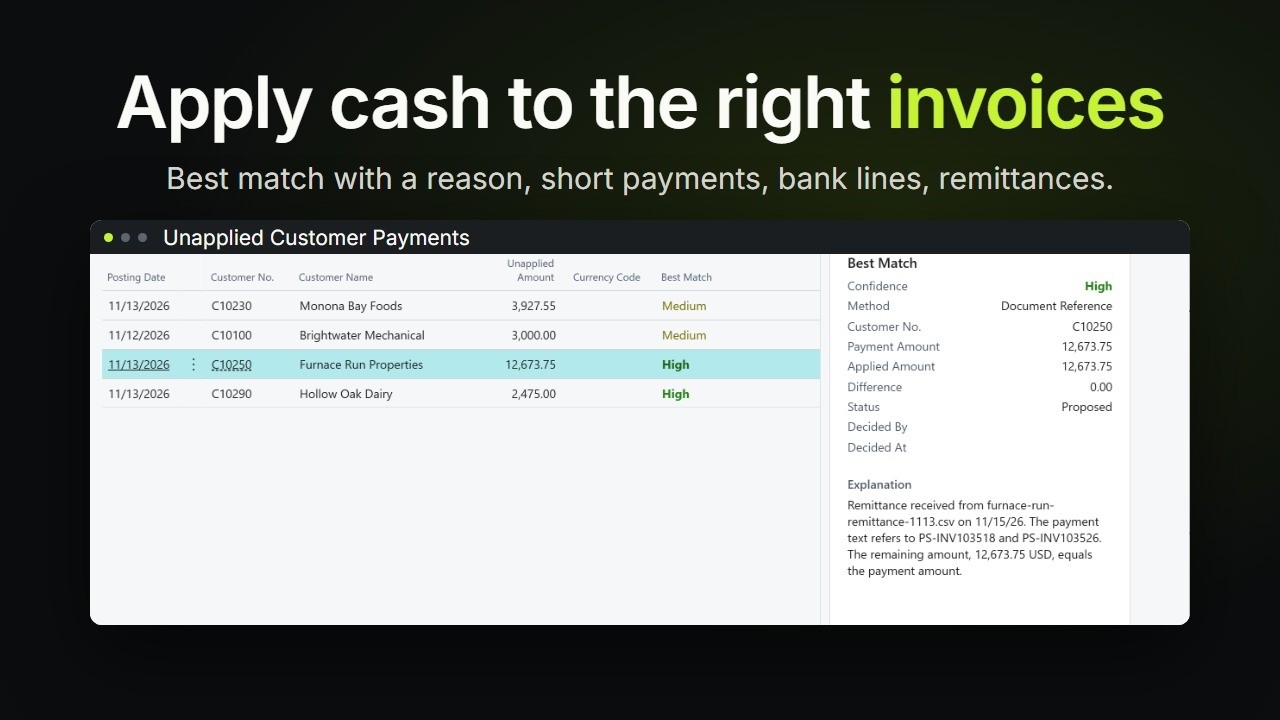 1:32TutorialBusiness Central Cash Application: Match Payments
Next step
Want help rolling out Bitta Collections?
Ask the team that builds it, or book a demo on your own scenario. Prefer email? Write to info@bittaapps.com.