Bitta Collections · Part 6 · 2:55 · YouTube
Business Central Collections Worklist: Who to Call Today
What this video covers
Start each collections day with one ranked list: who to contact, why, and what to do next.
In this tutorial you open the Collections Worklist in Business Central, read the priority score and its explanation, log a call with a follow-up date, and snooze, close or reassign a work item.
Step by step in the guide: https://www.bittaapps.com/solutions/bitta-collections/worklist
Transcript
Overdue is up again, and Dana wants to know who you're calling first today. Here's how to work the collections worklist in Business Central. Bitta Collections reads your customer ledger and builds one list: who to contact, why, and what to do next.
Search for Collections Worklist, and open it. It opens filtered to your own open work items, highest priority score first. The score runs from zero to one hundred.
It weighs the overdue amount you can act on, how late the oldest invoice is, the customer's risk, and any follow-up that's due. Balance Due is read live from the ledger.
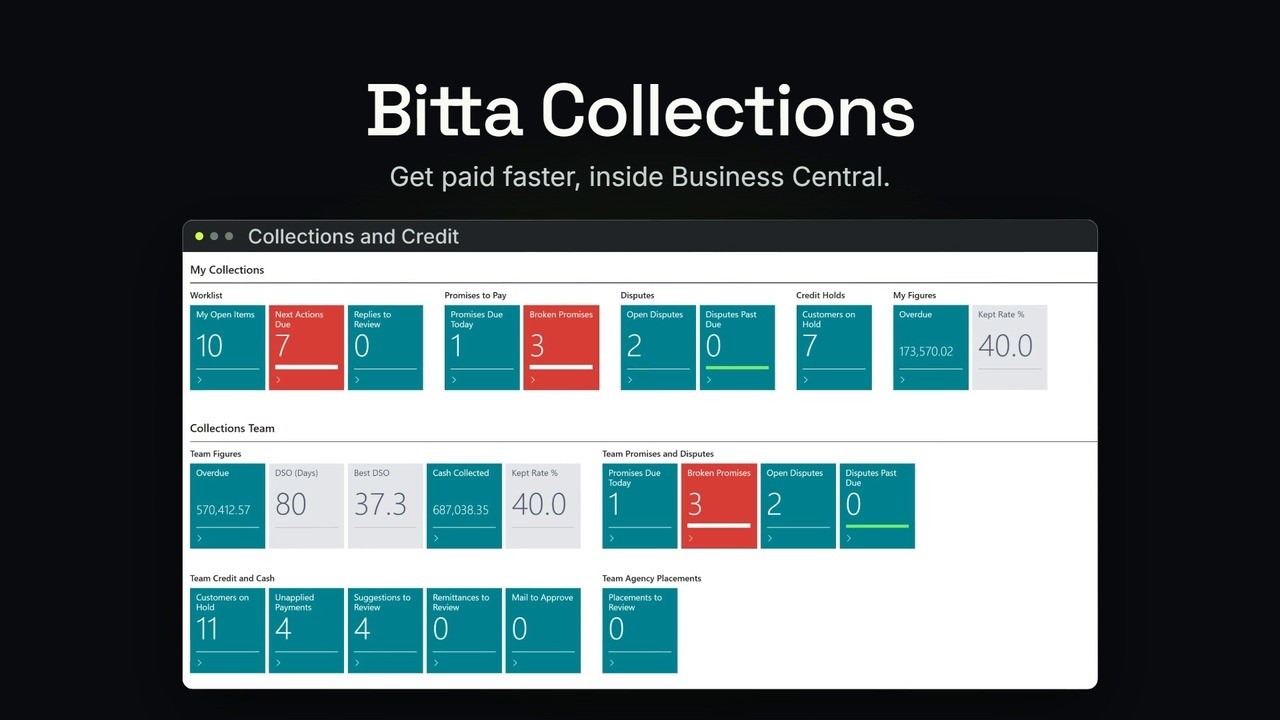
A customer shown in red has a next action due today. Select a customer, and the Collections FactBox shows the rest: the open promise, the credit hold, the last activity and the next action. On the Manage tab, choose View to open the work item.
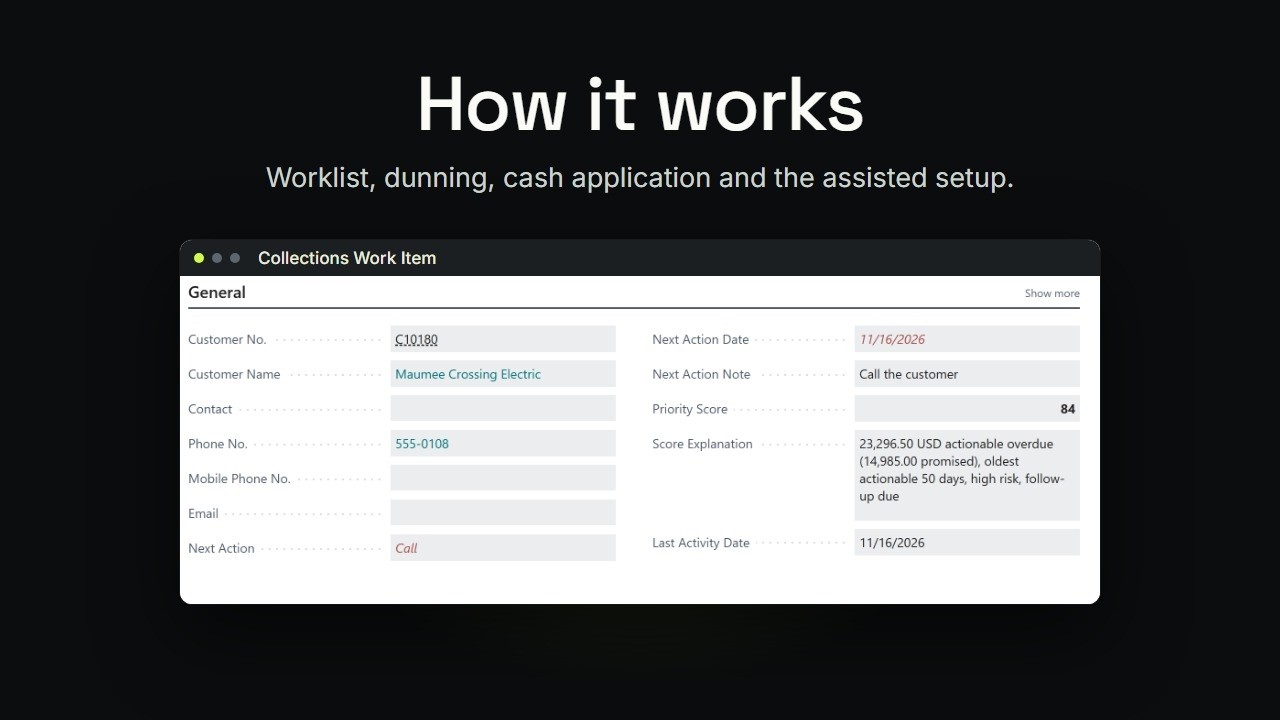
It has the phone number, the next action, and the priority score. Score Explanation says why this customer is near the top: the overdue amount, the part already promised,
fifty days overdue, high risk, and a follow-up that's due. Below it, Open Entries shows each invoice and how late it is. And Activities is the history, newest first. Maple Hollow says the check is in the mail.
Choose Snooze. Snooze Until starts a week out, on Monday. Add a reason. Choose OK.
The item leaves your open list, and the refresh on that date brings it back. Choose Close when an item needs nothing more, and pick a Close Reason. Under More options, Actions, Work Item, choose Assign To.
It opens the collectors list, so you can hand this one item to a colleague. The customer keeps its own collector. Now Calloway Fabrication. You call, and they'll pay on Friday.
Choose Log Activity. It starts as an outbound call. Set Outcome to Reached. Add a short description, and a Follow-up Date for Friday.
Then choose OK. The next action is now Follow Up, on Friday, with your note. If an earlier next action was already planned,
that one stays first. And the call is the newest line in Activities. Start each collections day here. Log every call, so the next person knows the story.
And snooze, instead of trying to remember. Next, record what the customer promises. The steps are in the Bitta Collections guide.