Bitta Collections · Tutorial · 1:27 · YouTube
Business Central Collections: How It Works
What this video covers
Business Central sends reminders, but it doesn't tell your collector who to call first, what a customer promised, or which invoice is in dispute.
This is the Before you start chapter of Bitta Collections for Business Central: the worklist, dunning that runs on its own, cash application where a person decides, and the assisted setup, all on the live customer ledger.
Step-by-step tutorials for each one: https://www.bittaapps.com/solutions/bitta-collections/guide/before-you-start
Transcript
Business Central sends reminders. But it doesn't tell your collector who to call first, what a customer promised, or which invoice is in dispute. So it all ends up in a spreadsheet.
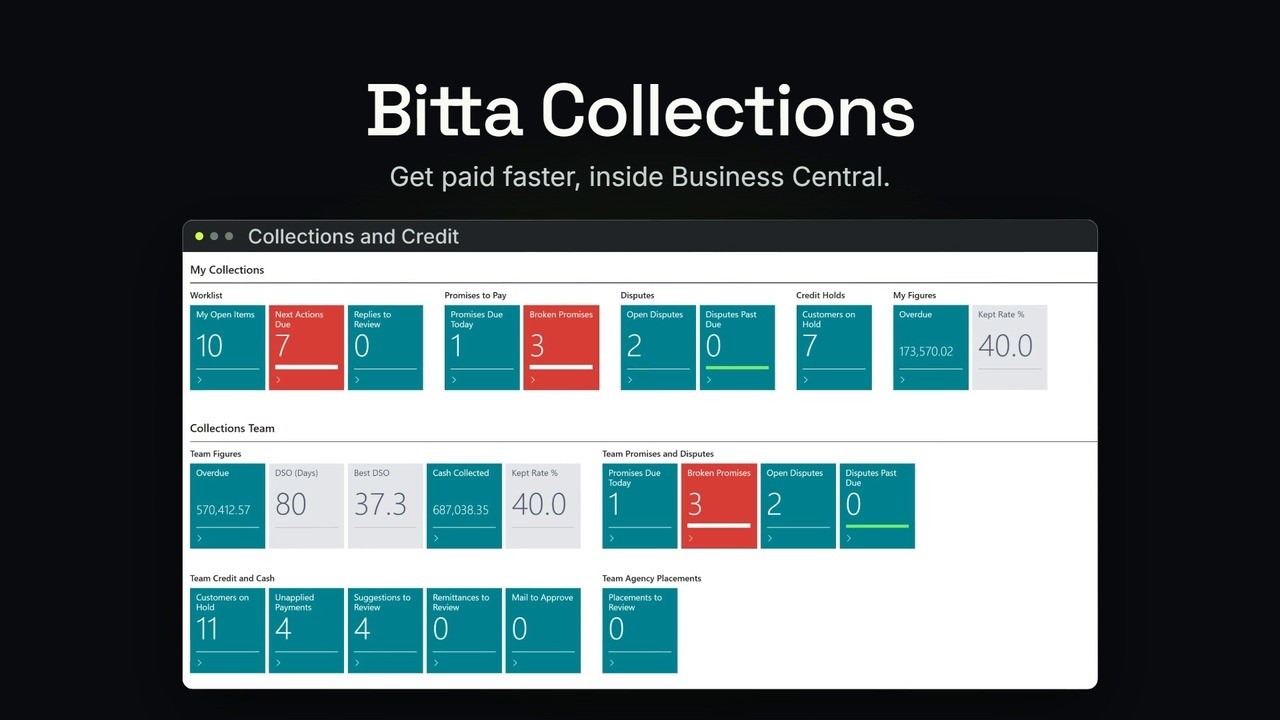
Bitta Collections adds that daily work inside Business Central, for collectors, credit managers and whoever sets it up. It reads the live customer ledger, so there's nothing to sync. It starts with the worklist.
Every customer with overdue money gets one work item, scored from 0 to 100, highest first. And Score Explanation says why, in plain words. Routine contact runs on its own.
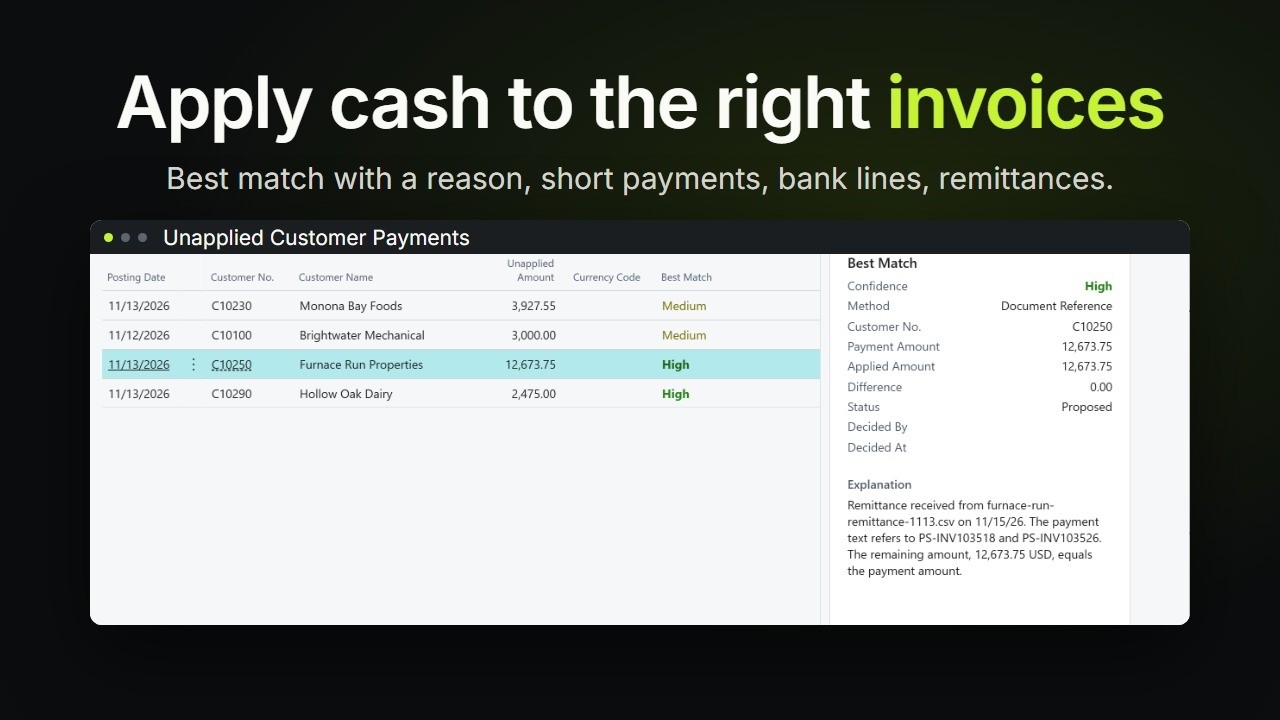
A dunning sequence sends a courtesy email before the due date, then reminders, a statement and a call task as invoices get older. And a person always decides. Bitta Collections suggests a match for each unapplied payment,
and explains it. Nothing is applied until someone accepts it. Getting started takes one guide. The assisted setup makes you a collector,
creates the recommended dunning sequences and email templates, and schedules the daily job. So read how it works, run the assisted setup, then give each person the right permission set.
Step-by-step tutorials for each one are on this page.