Business Central EDI Integration: Handling the 850
What has to happen between a retailer's X12 850 and a correct sales order, and why the 855, 856 and 810 depend on it
On this page
- The four documents in the cycle
- Where the X12 translation happens
- Mapping decisions that decide whether the order is right
- Customer and ship-to
- Items
- Unit of measure
- Price
- The retailer's PO number
- Exceptions belong in a queue, not in a half-built order
- Idempotency: the same PO will arrive twice
- Testing with the partner's files, in a sandbox
- Decide who owns it before go-live
A retailer's purchase order arrives as an X12 850, and a sales order has to appear in Business Central with the right customer, ship-to, items, units, and prices. A Business Central EDI integration is judged on what happens between those two points, and on the 855, 856, and 810 that go back to the retailer. This article covers mapping, exception handling, duplicate protection, testing, and support ownership. It draws on Bitta Apps' work maintaining inbound 850 processing for a distribution customer and on conversations with EDI providers since Community Summit 2026. Microsoft Learn references were checked on 2026-10-28.
The four documents in the cycle
X12 publishes the 850 Purchase Order as the transaction set for placing purchase orders, and states that it should not be used to convey purchase order changes or acknowledgments. The same X12 list defines the 855 Purchase Order Acknowledgment, the 856 Ship Notice/Manifest, and the 810 Invoice.
850 Purchase Order. Sent by the buyer to the seller. An 850 typically carries the PO number and date, item identifiers such as SKUs, requested ship or delivery dates, and one or more delivery locations: a distribution center, a store, or the end consumer. Pricing may be included.
855 Purchase Order Acknowledgment. Sent by the seller. The 855 confirms the order or individual lines, with each item accepted, rejected, or backordered.
856 Advance Ship Notice. Describes what shipped, how it is packed, and the carrier. Trading partners typically require the 856 to arrive before the shipment, and missing their timing rules can lead to chargebacks.
810 Invoice. The seller's electronic request for payment, with item identifiers, quantities, prices, and totals.
Only the 850 is inbound. The other three are generated from Business Central data, so a wrong unit or ship-to on the sales order carries into every document that follows.
Where the X12 translation happens
Microsoft's e-documents framework in Business Central targets electronic invoicing. Its documented localizations list formats such as Peppol BIS 3, XRechnung, ZUGFeRD, and Factura-E. X12 is not among them. One development to watch: the update 29.0 release notes for 2026 release wave 2 list "Exchange EDI documents" under E-Documents as a public preview feature. As of 2026-10-28, Microsoft had not published which standards or trading-partner scenarios it covers, so treat it as something to evaluate in a sandbox rather than a replacement for a production EDI process. In practice today, Business Central integrations with EDI typically run through an EDI provider or an AppSource app, and a Microsoft Marketplace search for EDI apps for Business Central returns a long list of options.
The provider usually handles transport, X12 translation, and each retailer's specification. The Business Central side decides what the order means in your data. That second half applies whichever provider or app you choose.
Mapping decisions that decide whether the order is right
Customer and ship-to
A big-box retailer is usually one bill-to account with many stores and distribution centers. A common model is one customer per retailer and one ship-to address per store or DC. In Business Central, the Ship-to Address table is keyed by customer number and a ship-to code, and it includes a GLN field and a default Location Code.
Map the location identifier in the 850 to a ship-to code through a lookup you maintain. Do not match on address text, which changes with formatting. One gap to plan for: the v2.0 salesOrder API resource exposes ship-to name and address fields but no ship-to code property. An integration that needs the code on the order uses an app that writes it or a custom API page built in AL.
Items
Retailers order with their own item numbers or UPCs. Business Central handles this with item references. The Item Reference Type enum includes Customer, Vendor, and Bar Code. On the Item Reference table, Reference Type No. holds the customer number and Reference No. holds the retailer's item number. When that reference is entered on a sales line, it resolves to your item, and any unit of measure or variant on the reference is copied to the line.
Decide per trading partner which identifier is authoritative, and what happens when an 850 line maps to nothing.
Unit of measure
Retailers order in cases, inner packs, or eaches, and the unit code in the 850 may not match your unit codes. Where a retailer item number implies a pack size, put the unit of measure on the item reference. Otherwise, keep an explicit unit map per trading partner. Never fall back to the base unit silently. Ten cases recorded as ten eaches becomes a short shipment and an 856 that disagrees with the cartons on the truck.
Price
The 850 may carry a price. Business Central calculates its own price from your price setup when the line is created. Pick a policy before go-live: keep the Business Central price and flag differences above a tolerance, or hold the order until someone decides. Record the comparison either way. A price disagreement on the order becomes a price disagreement on the 810.
The retailer's PO number
Store the PO number in External Document No. Microsoft describes this field as the place to record the number the customer assigned to the order, searchable on posted documents and customer ledger entries. With Ext. Doc. No. Mandatory selected in Sales & Receivables Setup, an invoice cannot be posted without it. In the API, the field is externalDocumentNumber.
Exceptions belong in a queue, not in a half-built order
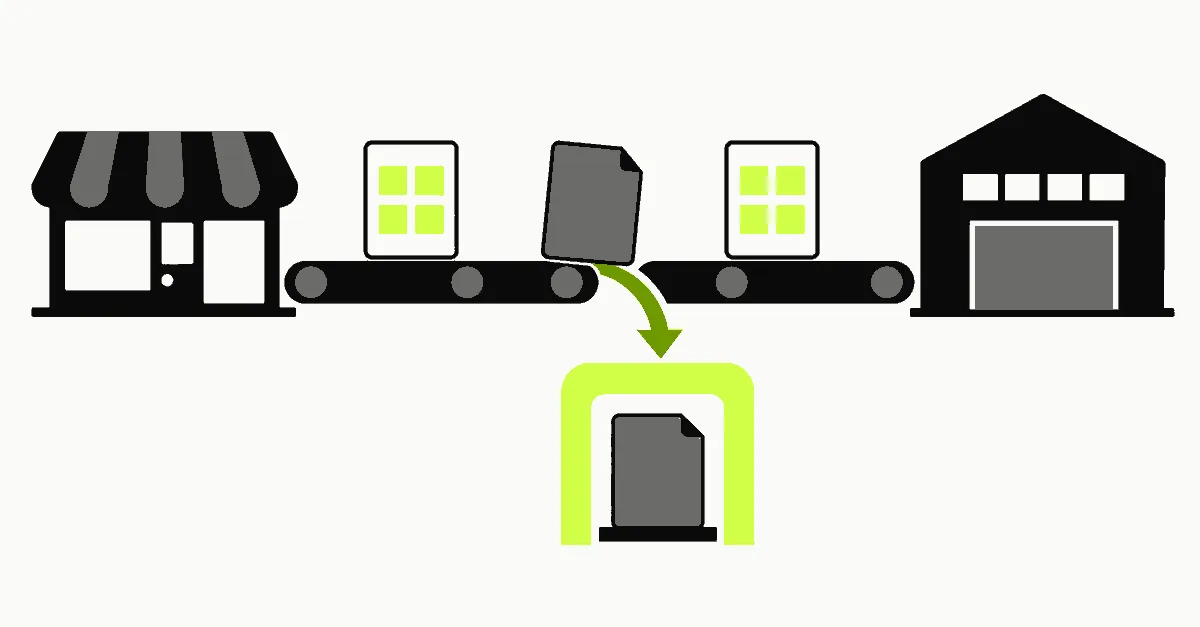
Typical 850 failures are an unknown store, an unknown item, a unit mismatch, a price outside tolerance, a zero quantity, or a requested date already in the past. Land every 850 in a staging record first. Validate all lines. Create the sales order only when the whole document passes.
Documents that fail stay in a review queue with the reason per line, a reference to the raw document, and a named owner. Fixing the mapping and reprocessing should be one action, not re-keying the order.
The 855 is the formal answer to the retailer. If the business decides to reject a line or ship short, the 855 states it line by line. An order sitting in a queue still needs an acknowledgment inside the window the retailer's implementation guide sets.
Idempotency: the same PO will arrive twice
Files are resent: a provider retry, a retailer resend, a reprocess after an outage. Without a duplicate guard, each resend creates a second sales order and possibly a second shipment.
Use a natural key: customer number plus retailer PO number. Before creating an order, check that key in two places:
Open sales orders, by External Document No. and customer.
The integration's own log of processed documents.
The log matters because a fully posted sales order is removed from the Sales Orders list, as Microsoft's sales order documentation notes. A check against open orders alone lets a resent PO for an already shipped order through. Write the key to the log in the same transaction that creates the order, and treat a repeated key as a duplicate for review, not as an error to retry.
A repeated PO number with different content is a separate case. Since X12 says the 850 is not meant for changes, flag that document for a person instead of overwriting the existing order. The same thinking applies to any integration that processes repeated work, covered in the webhook renewal and recovery checklist. If your integration creates orders through the API, the web service performance patterns apply to the lookups each 850 line triggers.
Testing with the partner's files, in a sandbox
Build and test in a sandbox environment. Microsoft lets you create a sandbox with a copy of production data. In a copied environment, job queue tasks are stopped and outbound HTTP calls from extensions are blocked until allowed per extension. Turn on only the integration you are testing, so the sandbox never sends documents to a live trading partner.
Use the trading partner's own sample 850s, then add the files designed to break the mapping: an unknown store, an unknown item, cases versus eaches, a price mismatch, and the same file sent twice. Check the sales order, then check that the 855, 856, and 810 generated from it match the retailer's implementation guide, not the X12 standard alone.
Decide who owns it before go-live
Three parties touch every order. The EDI provider owns transport, translation, and partner maps. The Business Central side owns the mapping tables, the review queue, and the order creation logic. The business owns decisions on exceptions: substitute, ship short, or reject.
Write down who is notified and who acts for each failure class. An unowned review queue means a missed acknowledgment and a late 856. If processing runs on a schedule, the job queue support handoff applies directly.
The 850 starts the cycle, but the 856 and 810 are where mapping errors become chargebacks and short payments. Teams that settle customer, ship-to, item, unit, price, and duplicate rules before the first live order spend their time on exceptions instead of on rework. To review an existing EDI setup or plan a new trading partner, contact Bitta Apps.
FAQ
Frequently asked questions
Does Business Central translate X12 EDI out of the box?
Microsoft's documented e-documents localizations cover electronic invoicing formats such as Peppol BIS 3, XRechnung and Factura-E, not X12. Update 29.0 lists an "Exchange EDI documents" capability in public preview, but as of 2026-10-28 its supported standards were not documented. Production EDI integrations typically run through an EDI provider or an app from Microsoft Marketplace (AppSource).
Where should the retailer's PO number go on the sales order?
In External Document No. (externalDocumentNumber in the v2.0 salesOrder API). It is searchable on posted documents and customer ledger entries, and Ext. Doc. No. Mandatory in Sales & Receivables Setup prevents posting an invoice without it.
How do retailer item numbers map to Business Central items?
Through item references with Reference Type Customer, the customer number in Reference Type No. and the retailer's item number in Reference No. Any unit of measure or variant on the reference is copied to the sales line.
Can the standard salesOrders API set a ship-to code?
The documented v2.0 salesOrder resource exposes ship-to name and address fields but no ship-to code property. Integrations that need the code use an app that writes it or a custom API page.
How do you stop a resent 850 from creating a duplicate order?
Treat customer number plus PO number as the key and check it against open sales orders and the integration's own processed-document log before creating anything. A repeated key goes to review instead of being retried.
Sources
Claims in this article were checked against the following on Oct 28, 2026.
- learn.microsoft.com/en-us/dynamics365/business-central/inventory-how-use-item-cross-refs
- learn.microsoft.com/en-us/dynamics365/business-central/dev-itpro/api-reference/v2.0/resources/dynamics_salesorder
- learn.microsoft.com/en-us/dynamics365/business-central/sales-how-sell-products
- learn.microsoft.com/en-us/dynamics365/business-central/finance-edocuments-overview
- x12.org/products/transaction-sets
- learn.microsoft.com/en-us/dynamics365/business-central/dev-itpro/whatsnew/whatsnew-update-29-0
Work with Bitta Apps on this
- Business Central partner servicesImplementation, customization, integrations, licensing and support, with published pricing and a written fixed-scope proposal.Read more
- QuickBooks to Business Central migrationWhat moves, what is archived, the published pricing and who signs off the cutover.Read more
- Dynamics GP end of lifeMicrosoft's GP support dates, what migrates to Business Central and how to plan the move.Read more