Universal Search · Part 3 · 3:40 · YouTube
Search Business Central Like You Remember It
What this video covers
Lena knows the customer is in there. Business Central's list search wants the exact letters; Bitta Universal Search doesn't.
Part 3: open it from Tell Me, then typos, missing spaces, word order, fragments and sound-alikes, chips with live counts, the keyboard, and permissions.
Part 3 of 3 in the Universal Search tutorial series. Watch the full demo for all three parts in one video.
Transcript
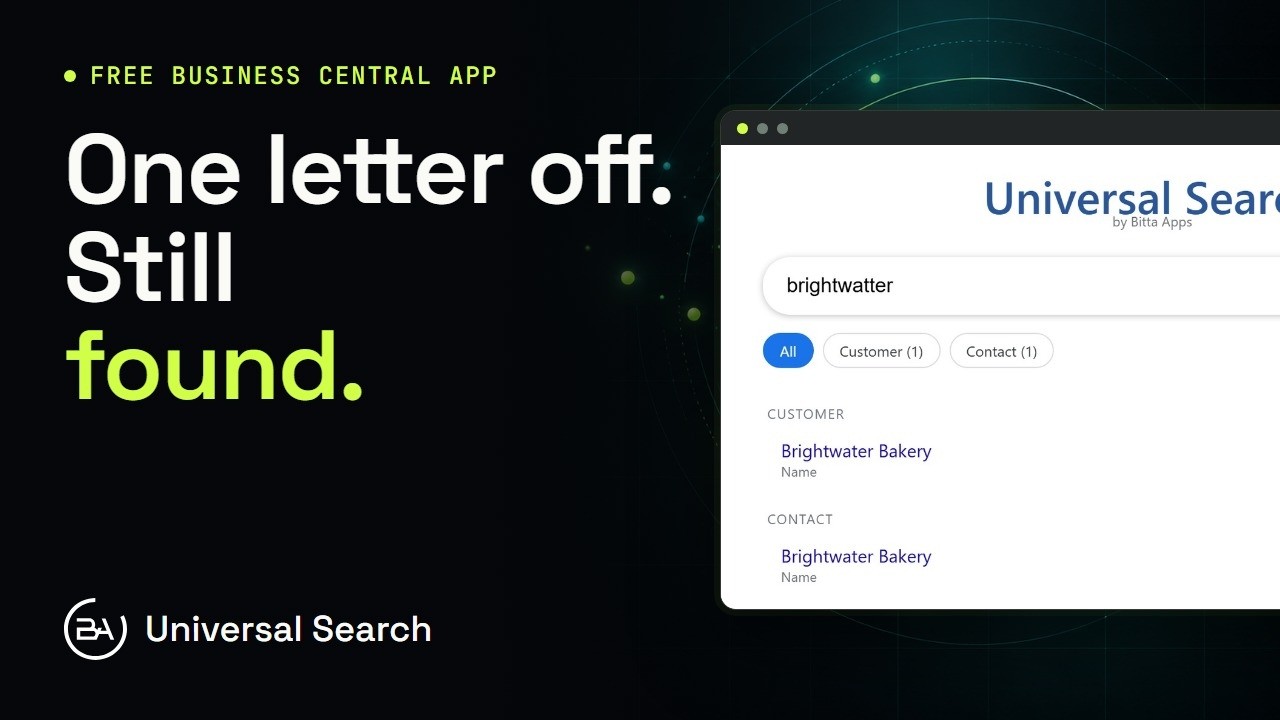
Lena works the sales counter at Northwind Supply. She knows every customer by sound, and almost none of them by spelling. Here's how she finds them anyway. Start with Business Central's own search. On the customer list, Lena types brightwatter, with one letter too many. Nothing to show. The list search only finds the letters the way they're stored. Items, the same. Icecream, typed as one word, finds nothing. Put the space back, and Ice Cream is right there. The record was never missing.
And a name spelled the way it sounds, carl brener, finds nobody either. Now Bitta Universal Search. Open Tell Me with Alt and Q, type Universal Search, and press Enter. One search box, across customers, vendors, items and contacts. Type brightwatter again. Back come Brightwater Mills, the vendor, and Brightwater Bakery, the customer, with their contacts. Results are grouped by table, and each one shows the field that matched.
Icecream as one word? Ice Cream, and everything else with ice cream in its name. No bold here. Bold marks only the letters you typed as they're stored, and icecream never appears as one word. Words in the wrong order. Wheel front still puts Front Wheel first. Back Wheel comes next, then the near misses further down. The closest match sits on top. Only a piece of the name? Harb pine finds Harbor and Pine Cafe, and the letters you typed show in bold. The same fragment also finds the vendor Harbor Wheel and Cycle, and its contact, in the same list. And the name the way it sounds. Carl brener finds the contact Karl Brenner. Names are indexed by how they sound, so a C where the K should be doesn't matter. Typos, spacing, word order, fragments and sound-alikes. Lena types what she remembers, and the search meets her there.
When a word is everywhere, the chips help. Cream matches items, customers, contacts and a vendor, with a live count on each chip. You can see where a word lives before you click. Choose Item, and only the items stay. Choose All to bring everything back. The keyboard works too. Arrow down to the first result, press Enter, and its card opens. Here, the vendor, Brightwater Mills. No list to filter, and no page to remember. The card is one keystroke away.
Search follows Business Central permissions. Lena signs in with her own login: she has Universal Search, but no access to vendors. The same search for cream. Items, customers and contacts are there, but no vendor records, because Lena can't open vendors. Northfield Creamery still shows as a contact, because Lena may read contacts. The vendor record behind it stays closed. Nobody finds a record through search that they couldn't open anyway. So the next time Lena says the customer's in there, she can prove it. Type it however you remember it.
That's the series. Next, watch the full demo, from install to the first search.